> ## Documentation Index
> Fetch the complete documentation index at: https://docs.sailhouse.dev/llms.txt
> Use this file to discover all available pages before exploring further.
# Receiving push events
> Get up to speed on handling events from push subscriptions
Push subscriptions allow you to receive a `POST` request from Sailhouse when you send an event to a topic. They're great for serverless applications, hosted on platforms like Netlify, Vercel, Cloudflare or Google Cloud Run.
 ## Handling the request
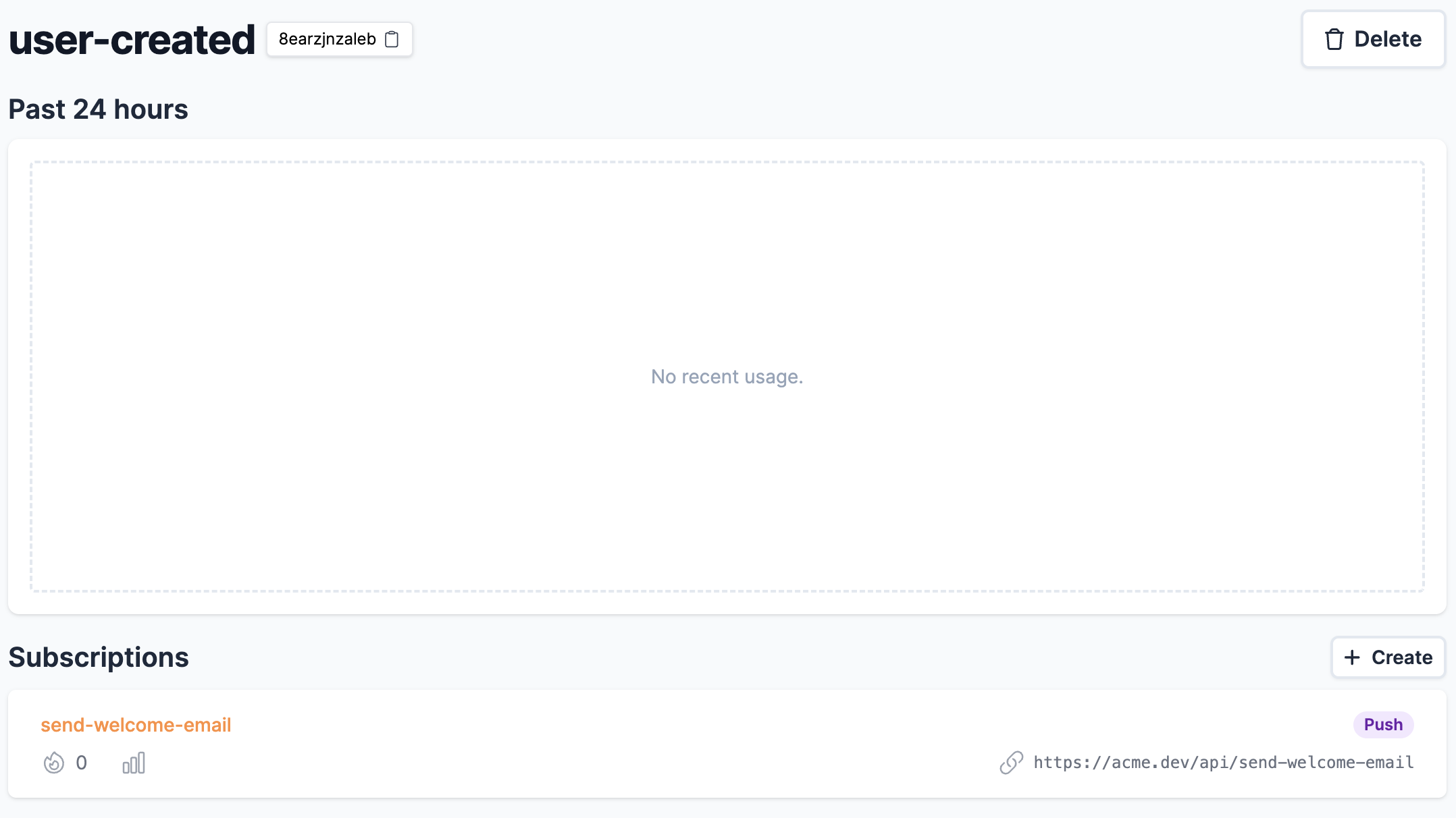
Sailhouse sends a `POST` request to the endpoint specified in the subscription. In the screenshot above, you can see this defined as `https://api.acme.dev/api/send-welcome/email`.
The data of your event is sent within the body, alongside some additional headers.
* `Sailhouse-Signature` - HMAC signature to verify the request authenticity and prevent replay attacks
* `identifier` - Checksum combining the event ID, subscription and time sent - globally unique for your application
* `event-id` - ID of the event
```ts theme={null}
import express from 'express';
const app = express();
app.use(express.json());
app.post("/api/send-welcome-email", async (req, res) => {
const event = req.body;
})
```
## Security
To ensure the request has come from Sailhouse, you should verify the `Sailhouse-Signature` header using HMAC-SHA256. This provides cryptographic proof that the webhook came from Sailhouse and prevents replay attacks.
Your webhook secret is sensitive and should not be publically available. Store it securely like any other secret in your application.
### How signature verification works
The `Sailhouse-Signature` header contains a timestamp and signature in this format:
```
Sailhouse-Signature: t=1699564800,v1=5257a869e7ecbebfe9013b2a4e3c4217c7a1e3b12f5c8e9a6d4b3f2a1e0d9c8b
```
To verify:
1. Extract the timestamp and signature from the header
2. Check the timestamp isn't too old (prevent replay attacks)
3. Create the signed payload: `.`
4. Calculate HMAC-SHA256 using your webhook secret
5. Compare signatures using constant-time comparison
The timestamp in the signature represents when Sailhouse attempted to deliver the webhook, not when the original event was received. This ensures each delivery attempt has a unique signature.
### Example verification
```ts theme={null}
import crypto from 'crypto';
import express from 'express';
const app = express();
// Important: Use raw body for signature verification
app.use(express.raw({ type: 'application/json' }));
function verifyWebhookSignature(secret: string, header: string, body: string, tolerance = 300): boolean {
// Parse the header
const elements = header.split(',');
let timestamp: number | undefined;
let signature: string | undefined;
for (const element of elements) {
const [key, value] = element.split('=');
if (key === 't') timestamp = parseInt(value);
if (key === 'v1') signature = value;
}
if (!timestamp || !signature) {
throw new Error('Invalid signature header');
}
// Check timestamp tolerance (default: 5 minutes)
const currentTime = Math.floor(Date.now() / 1000);
if (currentTime - timestamp > tolerance) {
throw new Error('Webhook timestamp too old');
}
// Calculate expected signature
const payload = `${timestamp}.${body}`;
const expectedSignature = crypto
.createHmac('sha256', secret)
.update(payload)
.digest('hex');
// Constant-time comparison to prevent timing attacks
return crypto.timingSafeEqual(
Buffer.from(expectedSignature),
Buffer.from(signature)
);
}
app.post("/api/send-welcome-email", async (req, res) => {
const signature = req.headers['sailhouse-signature'] as string;
const body = req.body.toString();
try {
const isValid = verifyWebhookSignature(
process.env.WEBHOOK_SECRET!,
signature,
body
);
if (!isValid) {
return res.status(401).json({ error: 'Invalid signature' });
}
// Parse and process the event
const event = JSON.parse(body);
// ... handle your event ...
res.status(200).send('OK');
} catch (error) {
res.status(400).json({ error: 'Bad request' });
}
});
```
Always use the raw request body for signature verification. Parsing the JSON before verification will cause the signature check to fail.
## Considerations
### Timeout
Sailhouse will consider, and then cancel, a request if it is taking longer than 5 seconds. This is configurable up to 15 minutes via [contacting support](mailto:support@sailhouse.dev).
### Payload size
Sailhouse has a limitation of 4MB when receiving events, so your application should be able to process requests of that size.
### Raw body handling
When implementing HMAC signature verification, you must access the raw request body before any JSON parsing. Most web frameworks parse JSON automatically, so you'll need to configure them to provide raw body access for your webhook endpoints.
### Idempotency
The `identifer` header passed contains a checksum built up of the following data.
* Event ID
* Subscription
* Timestamp of the published event
Although Sailhouse aims to deliver once, technically it is regarded as `atleast-once`. This `identifier` header value can be used to check if you have processed this event for this subscription before.
You should use this value over the `event-id` header, as that value is the same across all subscriptions for a topic.
Learn all there is to know about subscriptions
Check out our native SDKs, and learn how to send events in your application
## Handling the request
Sailhouse sends a `POST` request to the endpoint specified in the subscription. In the screenshot above, you can see this defined as `https://api.acme.dev/api/send-welcome/email`.
The data of your event is sent within the body, alongside some additional headers.
* `Sailhouse-Signature` - HMAC signature to verify the request authenticity and prevent replay attacks
* `identifier` - Checksum combining the event ID, subscription and time sent - globally unique for your application
* `event-id` - ID of the event
```ts theme={null}
import express from 'express';
const app = express();
app.use(express.json());
app.post("/api/send-welcome-email", async (req, res) => {
const event = req.body;
})
```
## Security
To ensure the request has come from Sailhouse, you should verify the `Sailhouse-Signature` header using HMAC-SHA256. This provides cryptographic proof that the webhook came from Sailhouse and prevents replay attacks.
Your webhook secret is sensitive and should not be publically available. Store it securely like any other secret in your application.
### How signature verification works
The `Sailhouse-Signature` header contains a timestamp and signature in this format:
```
Sailhouse-Signature: t=1699564800,v1=5257a869e7ecbebfe9013b2a4e3c4217c7a1e3b12f5c8e9a6d4b3f2a1e0d9c8b
```
To verify:
1. Extract the timestamp and signature from the header
2. Check the timestamp isn't too old (prevent replay attacks)
3. Create the signed payload: `.`
4. Calculate HMAC-SHA256 using your webhook secret
5. Compare signatures using constant-time comparison
The timestamp in the signature represents when Sailhouse attempted to deliver the webhook, not when the original event was received. This ensures each delivery attempt has a unique signature.
### Example verification
```ts theme={null}
import crypto from 'crypto';
import express from 'express';
const app = express();
// Important: Use raw body for signature verification
app.use(express.raw({ type: 'application/json' }));
function verifyWebhookSignature(secret: string, header: string, body: string, tolerance = 300): boolean {
// Parse the header
const elements = header.split(',');
let timestamp: number | undefined;
let signature: string | undefined;
for (const element of elements) {
const [key, value] = element.split('=');
if (key === 't') timestamp = parseInt(value);
if (key === 'v1') signature = value;
}
if (!timestamp || !signature) {
throw new Error('Invalid signature header');
}
// Check timestamp tolerance (default: 5 minutes)
const currentTime = Math.floor(Date.now() / 1000);
if (currentTime - timestamp > tolerance) {
throw new Error('Webhook timestamp too old');
}
// Calculate expected signature
const payload = `${timestamp}.${body}`;
const expectedSignature = crypto
.createHmac('sha256', secret)
.update(payload)
.digest('hex');
// Constant-time comparison to prevent timing attacks
return crypto.timingSafeEqual(
Buffer.from(expectedSignature),
Buffer.from(signature)
);
}
app.post("/api/send-welcome-email", async (req, res) => {
const signature = req.headers['sailhouse-signature'] as string;
const body = req.body.toString();
try {
const isValid = verifyWebhookSignature(
process.env.WEBHOOK_SECRET!,
signature,
body
);
if (!isValid) {
return res.status(401).json({ error: 'Invalid signature' });
}
// Parse and process the event
const event = JSON.parse(body);
// ... handle your event ...
res.status(200).send('OK');
} catch (error) {
res.status(400).json({ error: 'Bad request' });
}
});
```
Always use the raw request body for signature verification. Parsing the JSON before verification will cause the signature check to fail.
## Considerations
### Timeout
Sailhouse will consider, and then cancel, a request if it is taking longer than 5 seconds. This is configurable up to 15 minutes via [contacting support](mailto:support@sailhouse.dev).
### Payload size
Sailhouse has a limitation of 4MB when receiving events, so your application should be able to process requests of that size.
### Raw body handling
When implementing HMAC signature verification, you must access the raw request body before any JSON parsing. Most web frameworks parse JSON automatically, so you'll need to configure them to provide raw body access for your webhook endpoints.
### Idempotency
The `identifer` header passed contains a checksum built up of the following data.
* Event ID
* Subscription
* Timestamp of the published event
Although Sailhouse aims to deliver once, technically it is regarded as `atleast-once`. This `identifier` header value can be used to check if you have processed this event for this subscription before.
You should use this value over the `event-id` header, as that value is the same across all subscriptions for a topic.
Learn all there is to know about subscriptions
Check out our native SDKs, and learn how to send events in your application